
This article explains how to watch a Cyber Eclipse video scheduled by your administrator and complete a module.
Step 1: Cyber Eclipse email received
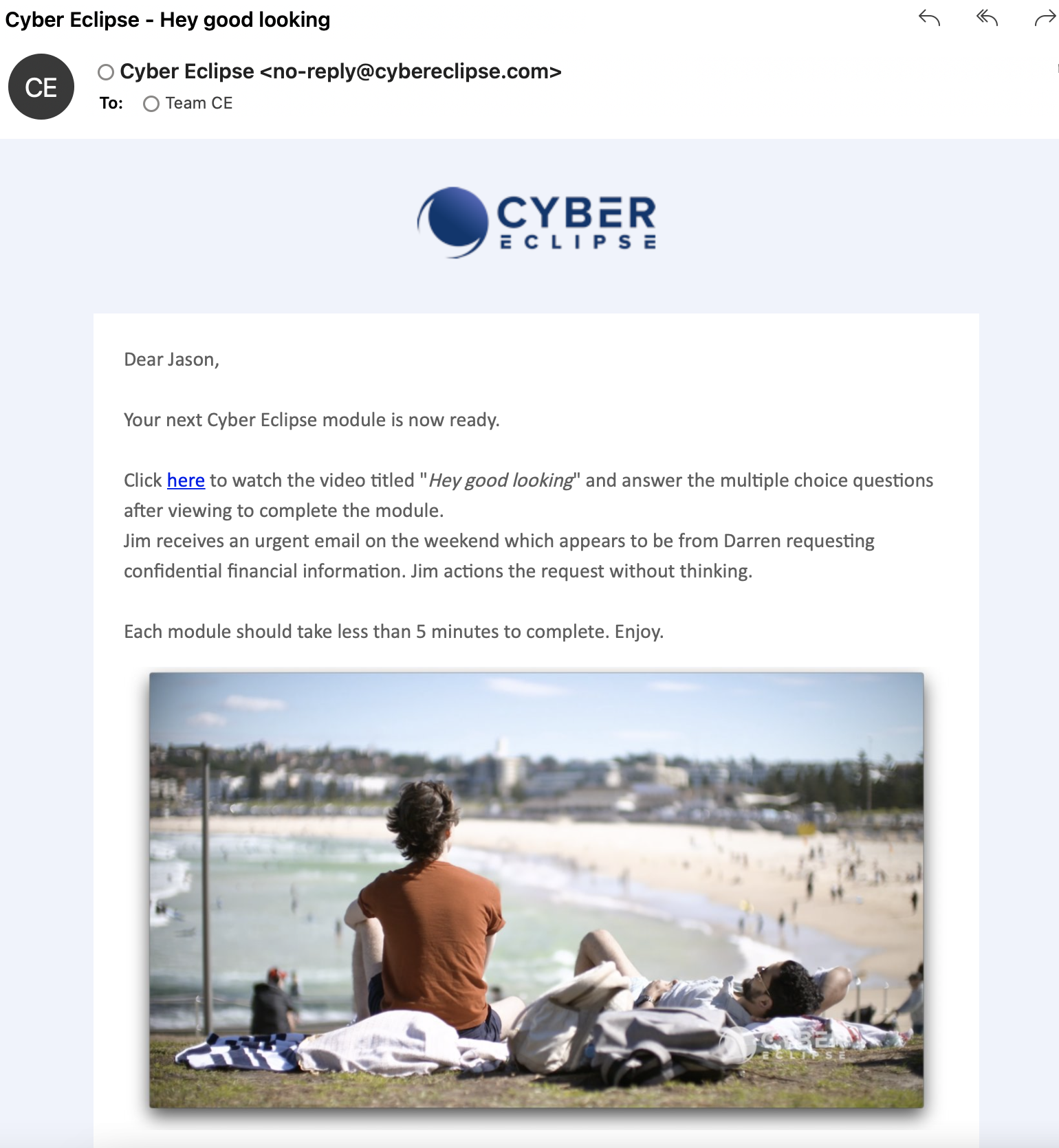
Your administrator will schedule training modules for you to view and complete. Each module should take less than 5 minutes, including the quiz at the end. You will be notified by email when this training needs to be completed. When you are ready to view the module, click the "here" link (shown below) or click the video thumbnail image, both of which will take you to the training module.
Step 2: Login
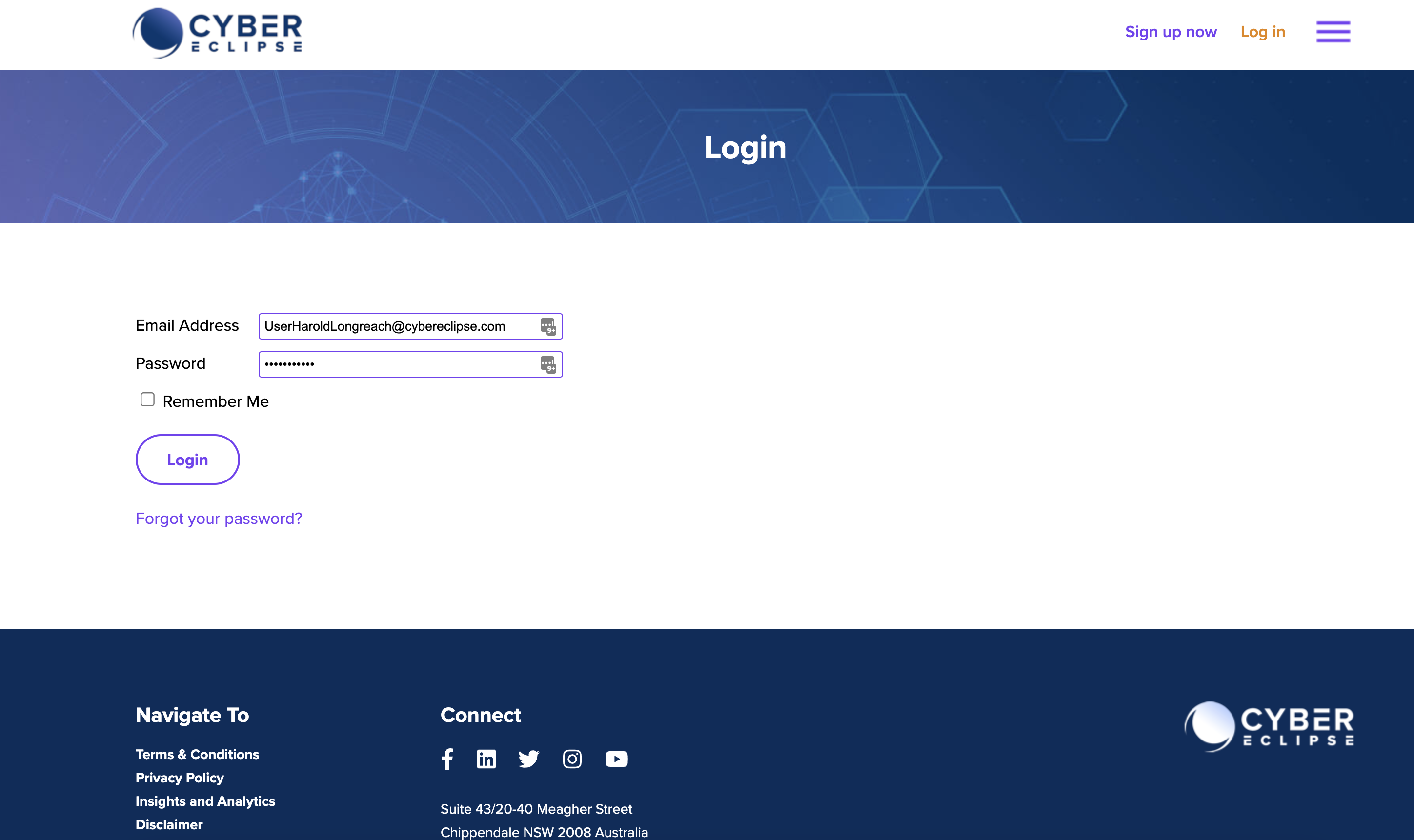
Enter your Email Address and Password and click Login ( ). For more detail on how to login, go to How to login to Cyber Eclipse.
Step 3: Watch module until the end
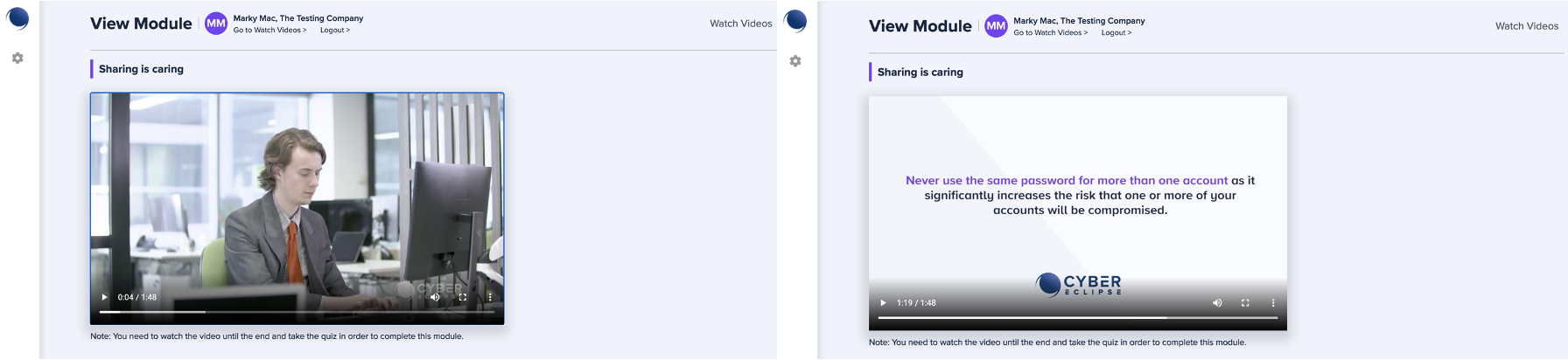
Your training module will appear. Click on the play button to view the module. Take note of the final message.
Please note that you need to watch the video until the end and take the quiz in order to complete your module.
Step 4: Take the quiz
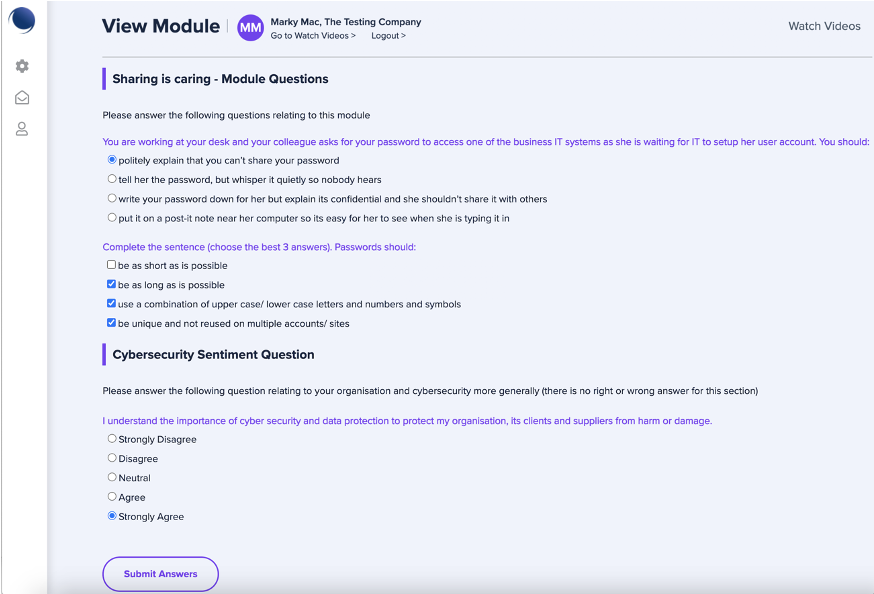
At the end of the module you will be asked some questions. You must attempt all questions – your module will not be complete unless you have answered all questions. Once you are satisfied with your answers submit them by clicking on the “Submit Answers” button.
Step 6: Results and you are done!
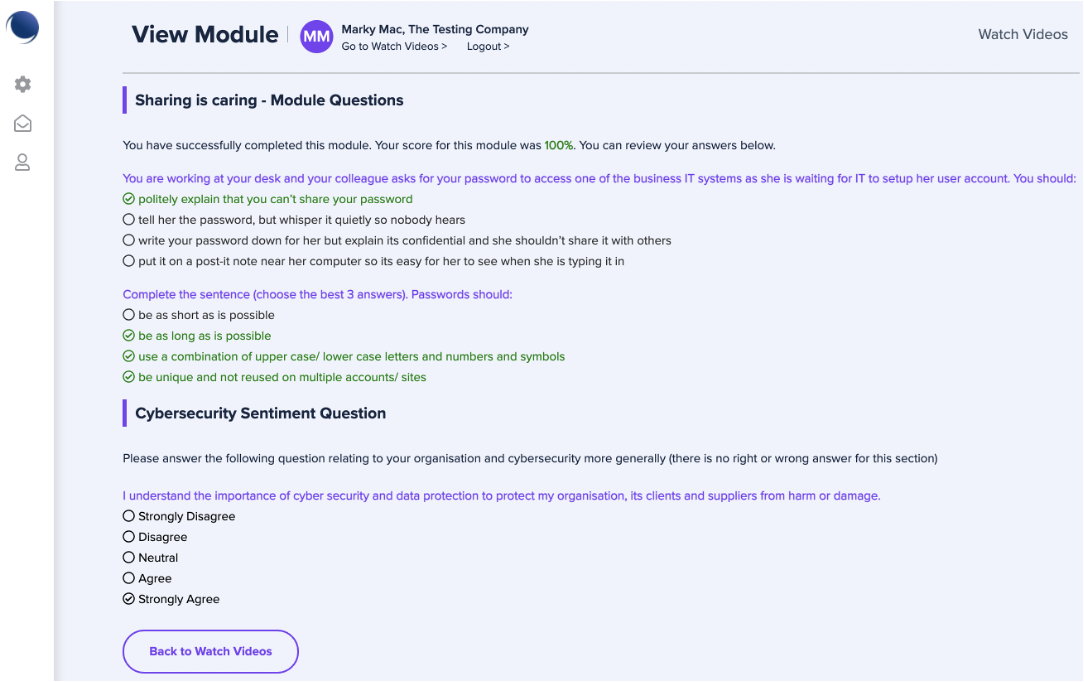
Once you have submitted your response you will receive your results. Well done, your module is complete.
Comments
0 comments
Article is closed for comments.