
If your administrator requires two-factor authentication for your organisation, you will see a screen similar to the below the first time that you login.
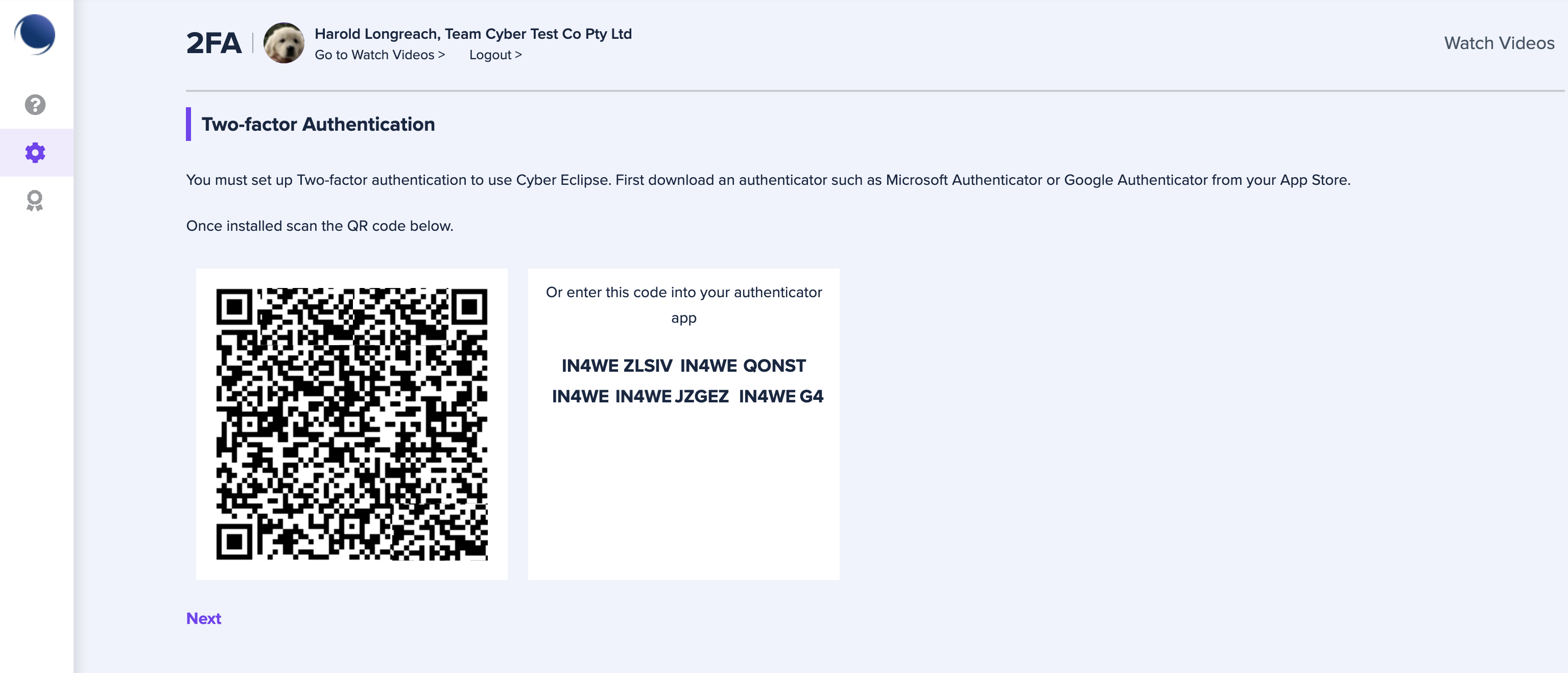
In order to complete the setup of two-factor authentication, follow the steps below:
- First download and install your preferred authenticator app such as Microsoft Authenticator or Google Authenticator from your App Store.
- Open your authenticator app and scan the QR code shown on screen.
- Once the authenticator app has successfully scanned the QR code, click Next (
 ).
). - Enter the code from your authenticator app below and click Confirm (
 ) to complete your Two-factor authentication configuration.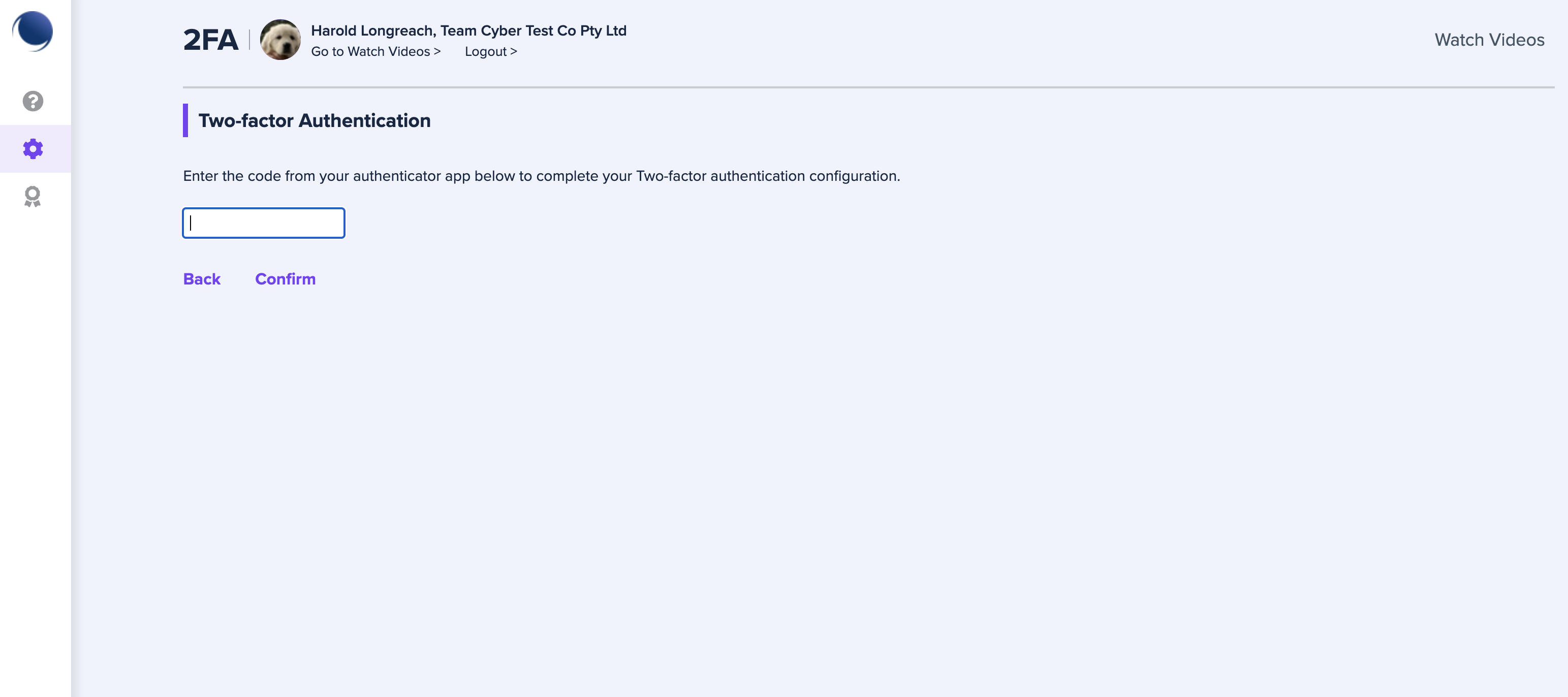
- Your two-factor authentication setup is complete.
Comments
0 comments
Article is closed for comments.